
포스트 보기
 [Posting] 13. 포스트 편집 기능 구현
NO
: 13
작성자
: cheolee
주제
: 공부 > 블로그개발
조회수
: 155
등록일
: 2021-08-07
작성된 포스트의 내용을 수정할 수 있도록 편집 기능을 추가합니다.
포스트 내용 편집은 포스트 보기 화면에서 할 수 있도록 하겠습니다.
포스트 수정 기능 구현
STEP 1) 포스트 보기 뷰 파일에 '편집' 요소 추가
-
~/application/views/post_detail.php
-
내용 표시 요소 하단에 편집 버튼 요소 추가
|
1
2
3
4
5
6
7
8
9
10
11
12
13
14
15
16
17
18
19
20
21
22
23
24
25
26
27
28
29
30
31
32
33
34
35
36
37
38
39
40
41
42
43
44
45
|
<?php
defined('BASEPATH') OR exit('No direct script access allowed');
require_once($_SERVER['DOCUMENT_ROOT'].'/application/views/template/header.php');
require_once($_SERVER['DOCUMENT_ROOT'].'/application/views/template/head_nav.php');
?>
<!-- main content -->
<div class="col-sm-12 col-lg-10" >
<?= $this->session->flashdata('message'); ?>
<div class="pt-2 fs-5 fw-bold">
<span class="">포스트 보기</span>
</div>
<hr>
<div class="d-flex align-items-center mx-0 p-0 text-truncate">
<span>
<?= $title ?>
</span>
</div>
<hr class="my-1">
<div class="d-flex align-items-center justify-content-between">
<small class="mr-2">
<i class="fas fa-user mr-1 text-info" style="font-size:.75rem;">포스트 번호</i>
<?= ' : '.$idx ?>
</small>
<small class="mr-2">
<i class="fas fa-user mr-1 text-info" style="font-size:.75rem;">등록일</i>
<?= ' : '.date('Y-m-d', strtotime($reg_date)) ?>
</small>
</div>
<hr class="shadow mt-1">
<div class="viewer-items m-0 p-0">
<?= $content ?>
</div>
<hr>
<div>
<!-- 편집 버튼 요소 -->
<form action="/home/edit" enctype="multipart/form-data" method="post" accept-charset="utf-8">
<input type="hidden" name="idx" value="<?= $idx ?>">
<button type="submit" class="btn btn-secondary">편집</button>
</form>
</div>
</div>
<!-- --end of main content -->
<?
require_once($_SERVER['DOCUMENT_ROOT'].'/application/views/template/footer.php');
?>
|
cs |
STEP 2) 편집 화면 뷰 파일을 생성합니다.
-
~/application/views/post_edit.php 파일 생성
-
아래의 코드 작성
|
1
2
3
4
5
6
7
8
9
10
11
12
13
14
15
16
17
18
19
20
21
22
23
24
25
26
27
28
29
30
31
32
33
34
35
36
37
38
39
40
41
42
43
44
45
46
47
48
49
50
51
52
53
|
<?php
defined('BASEPATH') OR exit('No direct script access allowed');
require_once($_SERVER['DOCUMENT_ROOT'].'/application/views/template/header.php');
require_once($_SERVER['DOCUMENT_ROOT'].'/application/views/template/head_nav.php');
?>
<!-- main content -->
<div class="col-sm-12 col-lg-10">
<?= $this->session->flashdata('message') ?>
<div class="pt-2 fs-5 fw-bold">
<span class="">포스트 편집</span>
</div>
<hr>
<form action="/home/update" enctype="multipart/form-data" method="post" accept-charset="utf-8">
<div class="input-group mb-3">
<span class="input-group-text">제목</span>
<input type="text" class="form-control" aria-label="Sizing example input" aria-describedby="title" id="title" name="title" value="<?= $title ?>">
</div>
<div class="mb-3">
<textarea id="content" name="content" style="display:none;" value="<?= set_value($content) ?>"><?= $content ?></textarea>
</div>
<div>
<!-- 포스트 내용 업데이트를 위한 idx값 hidden 요소 -->
<input type="hidden" name="idx" value="<?= $idx ?>">
<button type="submit" class="btn btn-outline-secondary">포스트 저장</button>
</div>
</form>
</div>
<!-- end of main content -->
<script>
$(function(){
// ckeditor 4
var editor = CKEDITOR.replace( 'content' );
// ckfinder 3
CKFinder.setupCKEditor( editor ,{
skin: 'jquery-mobile',
swatch: 'b',
onInit: function( finder ) {
finder.on( 'files:choose', function( evt ) {
var file = evt.data.files.first();
console.log( 'Selected: ' + file.get( 'name' ) );
});
}
},
{
type: 'Files',
currentFolder: '/archive/'
});
});
</script>
<?
require_once($_SERVER['DOCUMENT_ROOT'].'/application/views/template/footer.php');
?>
|
cs |
STEP 3) 포스트 편집 및 업데이트를 위해 컨트롤러에 함수를 추가합니다.
- ~/application/controllers/Home.php
|
1
2
3
4
5
6
7
8
9
10
11
12
13
14
15
16
17
18
19
20
21
22
23
24
25
26
27
28
29
30
31
32
33
34
35
36
37
38
39
40
41
42
43
44
45
46
47
48
49
50
51
|
<?
...(생략)
// 포스트 내용을 편집합니다.
public function edit()
{
$idx = $this->input->post_get('idx');
// $idx에 해당하는 포스트 데이터를 가져옵니다.
$post = $this->home->get_detail_post($idx);
// 편집 화면 로드 시 전달한 데이터 배열을 생성합니다.
$data = array(
'idx' => $idx,
'title' => $post['title'],
'content' => $post['content']
);
$this->load->view('post_edit',$data);
}
// 편집한 포스트 내용을 업데이트 합니다.
public function update()
{
$idx = $this->input->post_get('idx');
$title = $this->input->post_get('title');
$content = $this->input->post_get('content');
// 업데이트 할 포스트 데이터 배열을 생성합니다.
$data = array(
'title' => $title,
'content' => $content,
);
$this->form_validation->set_rules('title', 'Title', 'required');
$this->form_validation->set_rules('content', 'Content', 'required');
if ($this->form_validation->run() == FALSE) {
$this->session->set_flashdata('message', '
<script>
$(function(){
alert("누락된 항목이 있습니다.");
});
</script>
');
$this->load->view('post_edit',$data);
} else {
// 포스트 내용을 db에 업데이트 합니다.
$this->home->post_update('posts', $data, $idx );
$this->session->set_flashdata('message', '
<script>
$(function(){
alert("저장이 완료되었습니다.");
});
</script>
');
$this->detail($idx);
}
}
|
cs |
STEP 4) 편집된 포스트 내용을 DB에 반영하기 위해 모델에 함수를 추가합니다.
-
~/application/models/Home_model.php
|
1
2
3
4
5
6
|
<?
...(생략)
// 편집된 포스트 내용을 DB에 업데이트 합니다.
public function post_update($table,$data,$idx) {
$this->db->update($table, $data, array('idx' => $idx));
}
|
cs |
포스트 편집 기능 구현이 완료되었습니다.
포스트 편집 기능 확인
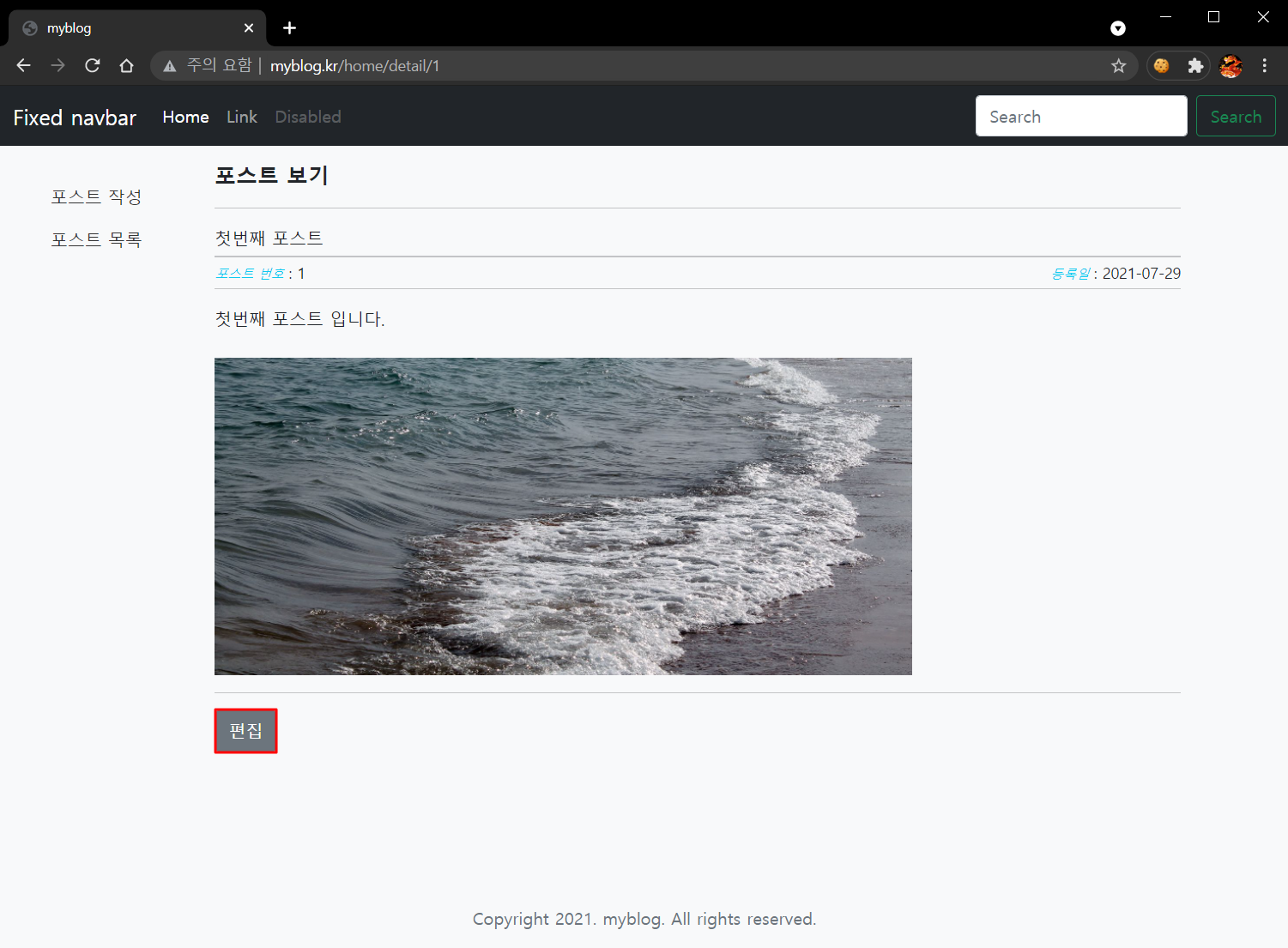
STEP 1) 포스트 보기 화면에서 '편집' 버튼을 클릭 합니다.
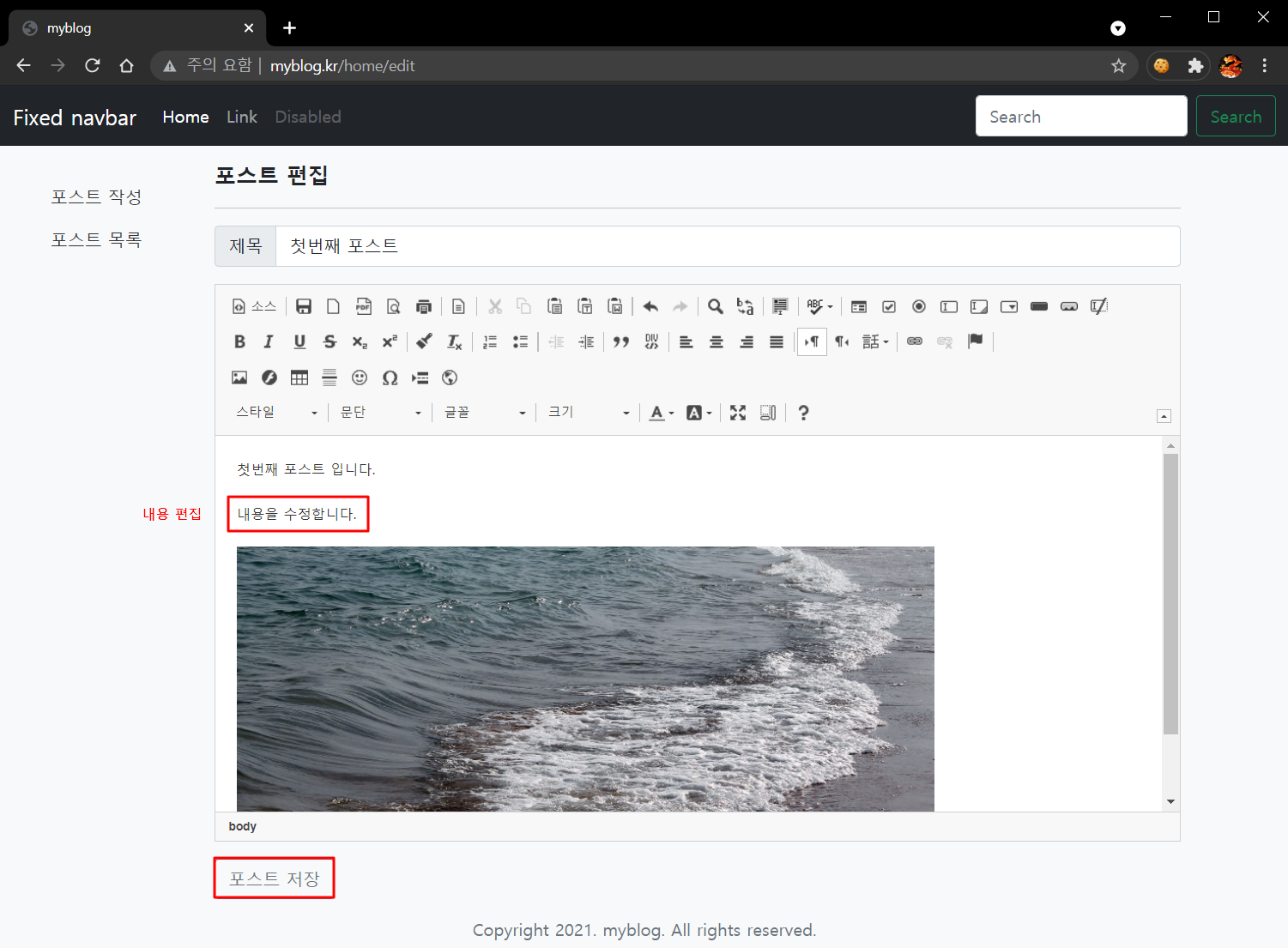
STEP 2) 편집 화면에서 내용을 편집하고 '포스트 저장' 버튼을 클릭 합니다.
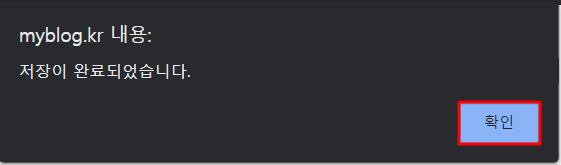
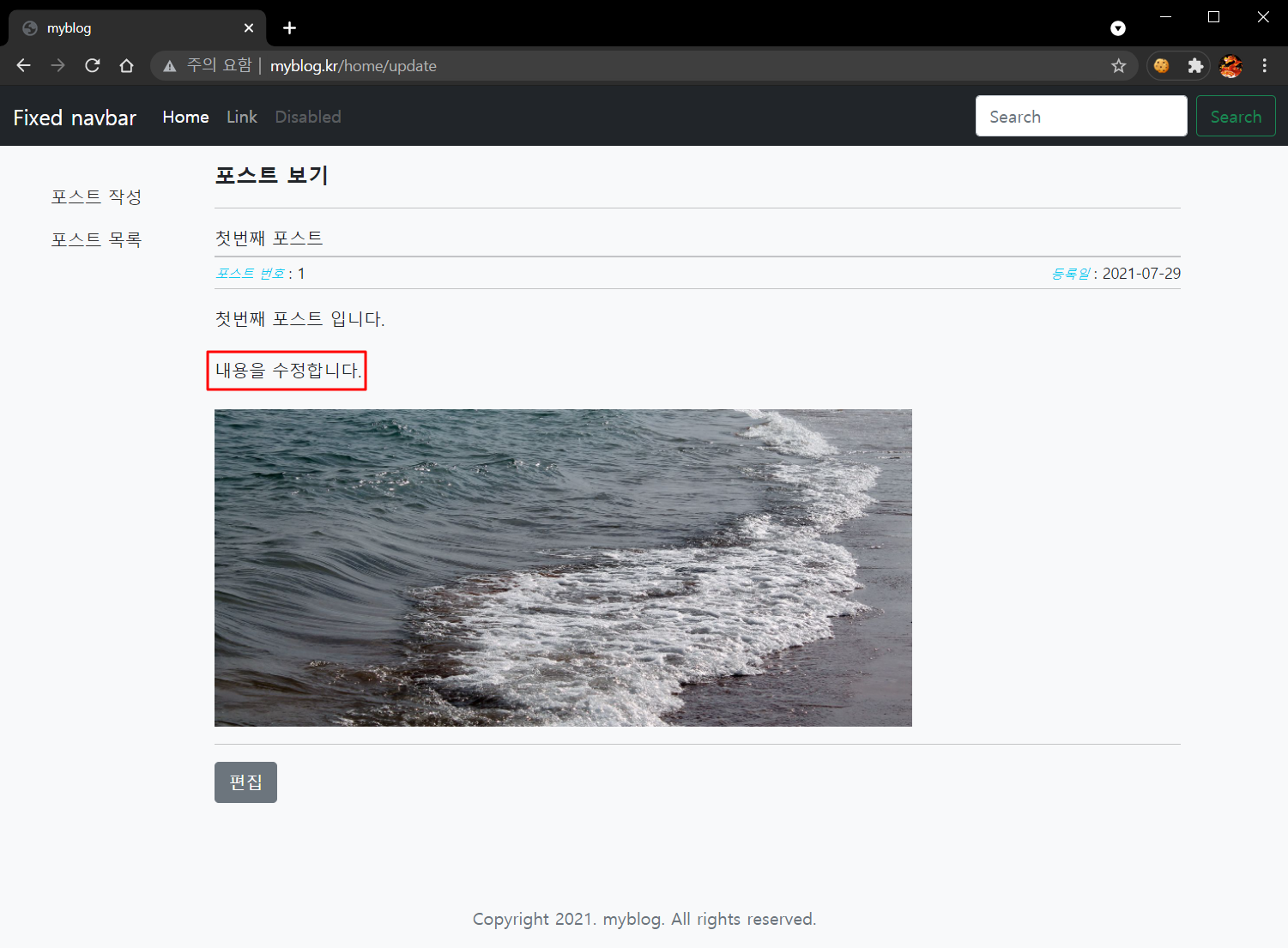
STEP 3) 수정된 내용을 확인합니다.


댓글 0 개
댓글 보기
관련 포스트 목록
- [Server] 01. 개요 및 웹 서버 설치
- [Server] 02. PHP 7 설치 및 웹 서버 연동
- [DataBase] 03. DB Server(MySQL 8.x) 설치
- [Framework] 04. CodeIgniter 3.x 설치 및 index.php 안보이게 하기
- [Stylesheet] 05. Bootstrap 5 설치
- [Stylesheet] 06. Bootstrap 5 example template 적용하기
- [Library] 07. 온라인 html 편집툴(CKEditor 4) 설치 및 초기화
- [Library] 08. 파일 관리툴 CKFinder 설치 및 초기화
- [DataBase] 09. 블로그 DB 생성 및 HeidiSQL 설치
- [Posting] 10. DB 연결 및 뷰 파일 분할
- [Posting] 11. 포스트 저장 기능 구현
- [Posting] 12. 포스트 목록 뷰 생성 및 pagination 기능 구현
- [Posting] 13. 포스트 편집 기능 구현